
Filing Your Petition · Chapter 20
How to File Form I-140 Online: A Step-by-Step Guide (2026)
Table of Contents
Why File Online?
- Cheaper. A standalone I-140 is $965 online vs. $1,015 by mail — USCIS applies a $50 online-filing discount.
- Faster receipt. Your receipt number usually appears in ~2–3 business days.
- Fully trackable. Status, receipt notices, and any RFE show up right in your account.
The One Rule: I-140 First, I-907 Second
Online, you can only file a standalone I-140 — you cannot attach Form I-907. So the flow is two steps: file the I-140 → get your receipt number (~2–3 business days) → then file the I-907 separately, linked to that receipt, to add premium processing. (Paper filing is the only way to file both on day one — see Premium Processing Strategy.)
Fees (as of June 2026)
- I-140 online: $965 (vs. $1,015 by mail)
- I-907 premium processing: $2,965
Confirm current amounts on the USCIS fee page. For payment details, see How to Pay I-140 and I-907 Fees.
Step-by-Step
1. Create your myUSCIS account
At myaccount.uscis.gov, create an individual ("applicant/petitioner") account and set up two-step verification. One account handles both the I-140 and, later, the I-907.
2. Fill out your forms first — in Adobe
Complete your forms on your computer using Adobe Acrobat/Reader (so the formatting stays intact) before you start the online submission:
- Form I-140 — see our field-by-field I-140 guide.
- ETA-9089, Appendix A — fill in your education and work history.
- (Later, for premium processing: Form I-907.)
Sign each form. Either insert an electronic signature in Adobe, or print, hand-sign, and scan it back in — a typed signature is not accepted.
3. File the I-140 online
From your dashboard, choose File a Form Online, then select I-140, Immigrant Petition for Alien Workers.
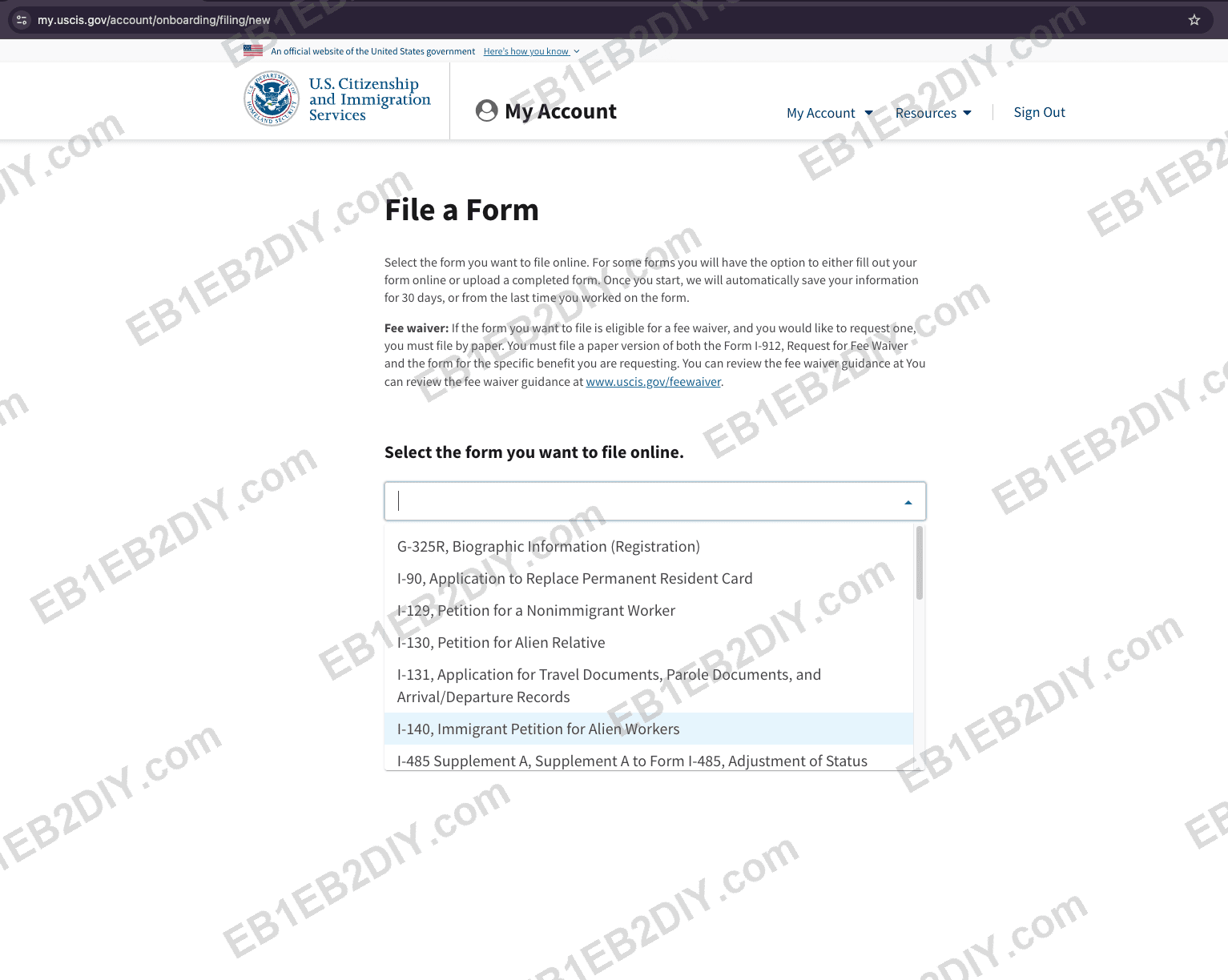
Start by choosing "I-140, Immigrant Petition for Alien Workers."
Choose your eligibility category to match your case:
- 1.a — An alien of extraordinary ability (EB1A)
- 1.h — An alien applying for a NIW (advanced degree or exceptional ability) (EB2 NIW)
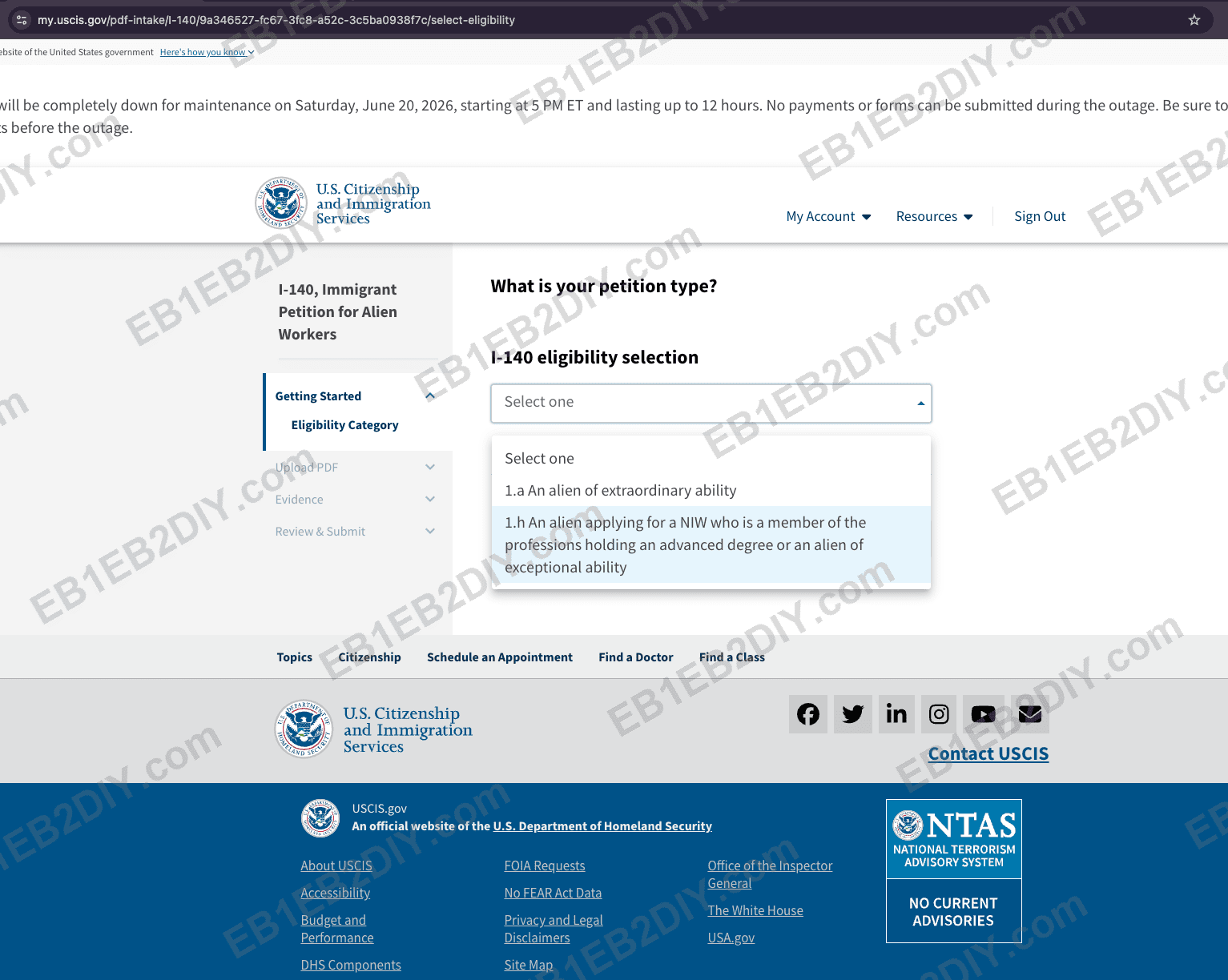
Pick 1.a for EB1A, or 1.h for EB2 NIW.
Upload your completed I-140 PDF (the one you filled and signed in Step 2) — all pages, in order. Do not include your evidence here; that comes next.
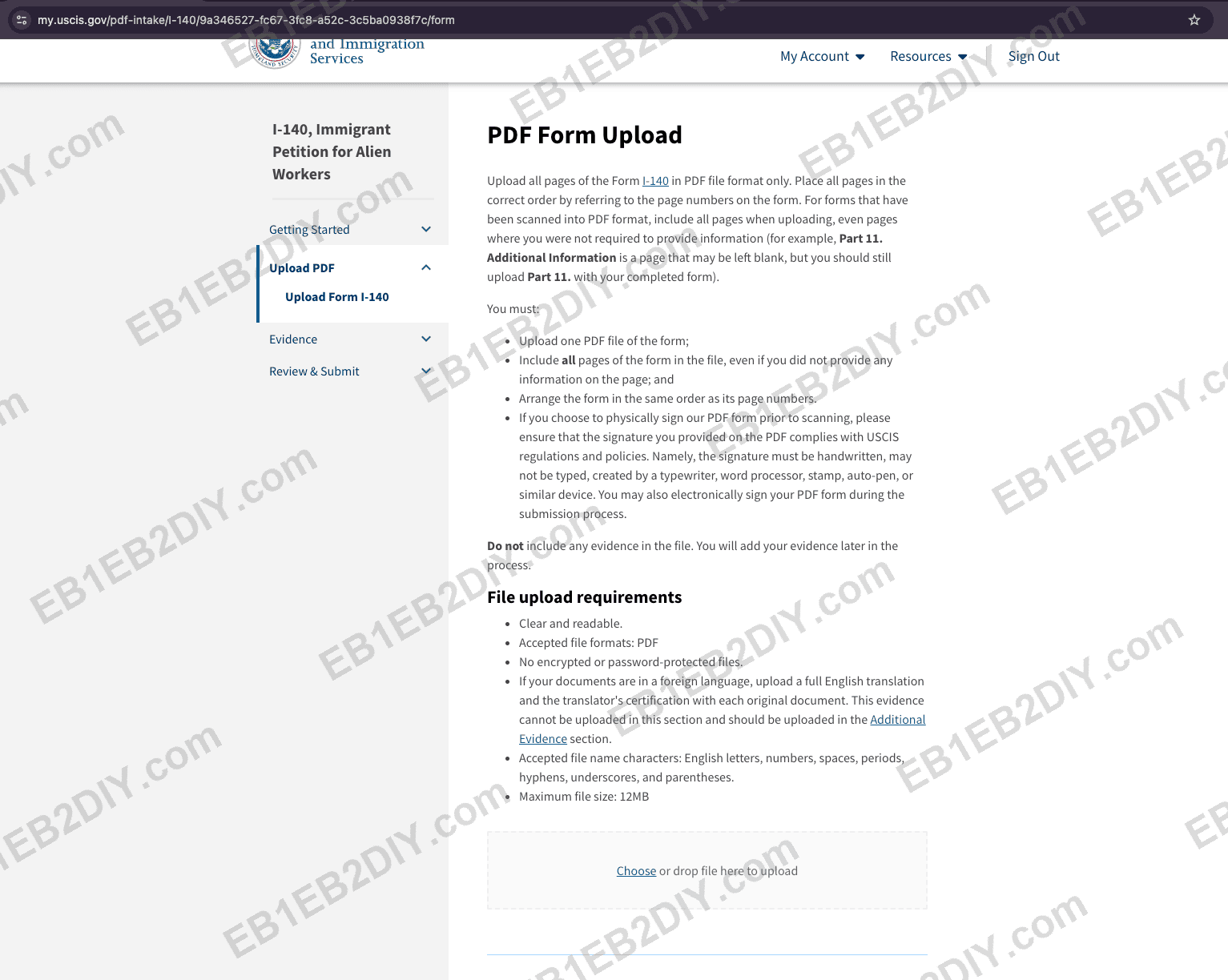
Upload all pages of your signed I-140 as a single PDF.
File rules that matter:
- 12 MB maximum per file.
- PDF only — not encrypted or password-protected.
- File names: English letters, numbers, spaces, periods, hyphens, underscores, parentheses.
Once it uploads, the form shows as Complete — this is your signed form accepted by the system.
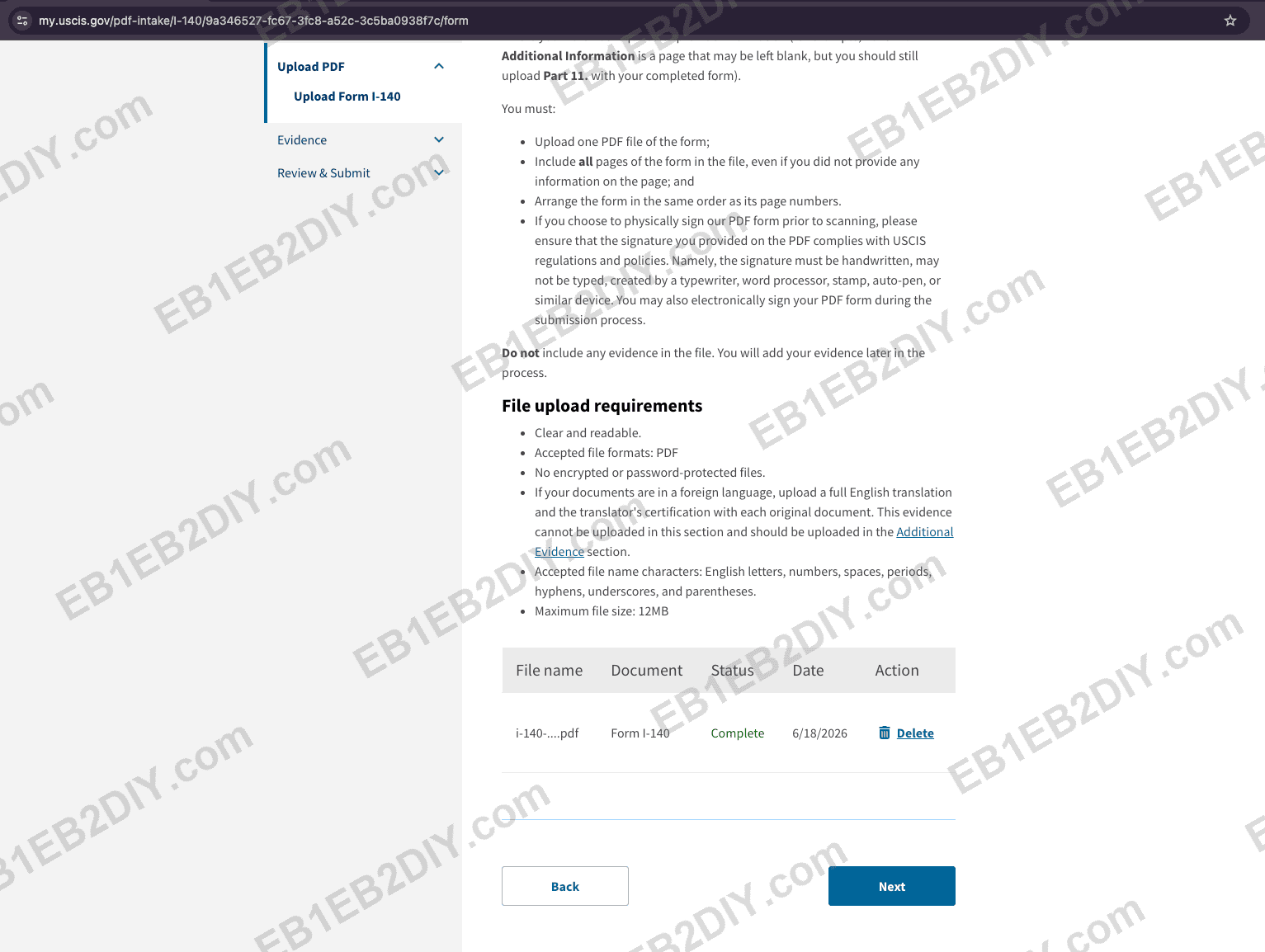
A successfully uploaded, signed form shows "Complete."
The system checks your uploaded form and will usually flag problems — for example, a missing signature. The warnings aren't always precise, so if you hit one, re-check against our I-140 field-by-field guide and try again.
Add your evidence. In the Evidence section, upload your petition letter, exhibits, and ETA-9089 Appendix A (your education and work history). Foreign-language documents need a certified English translation, uploaded in the Additional Evidence section.
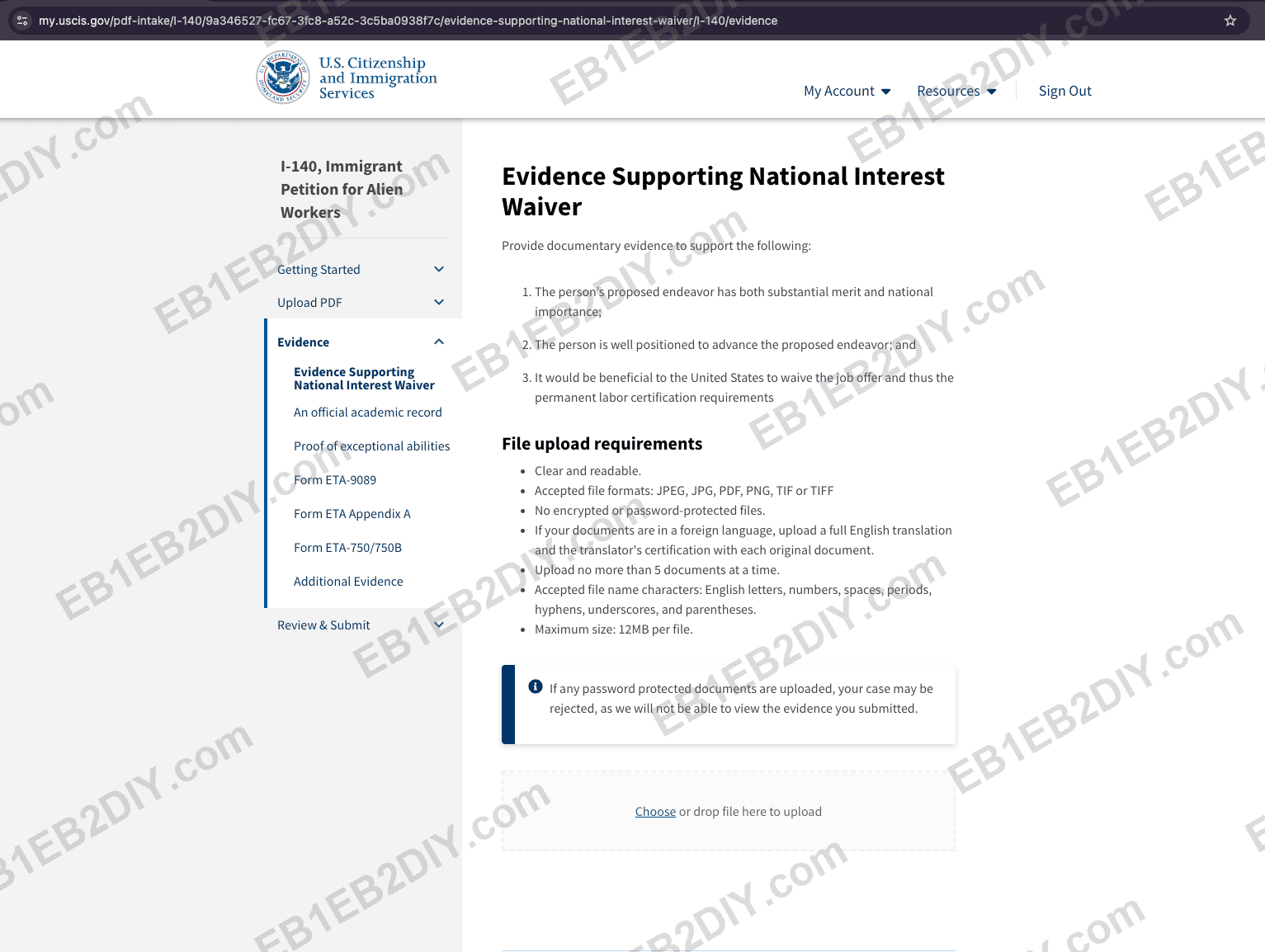
Upload your evidence, ETA-9089 Appendix A, and any certified translations.
Review & submit. A green check means all required fields are complete; the page also confirms your fee — $965 for the I-140.
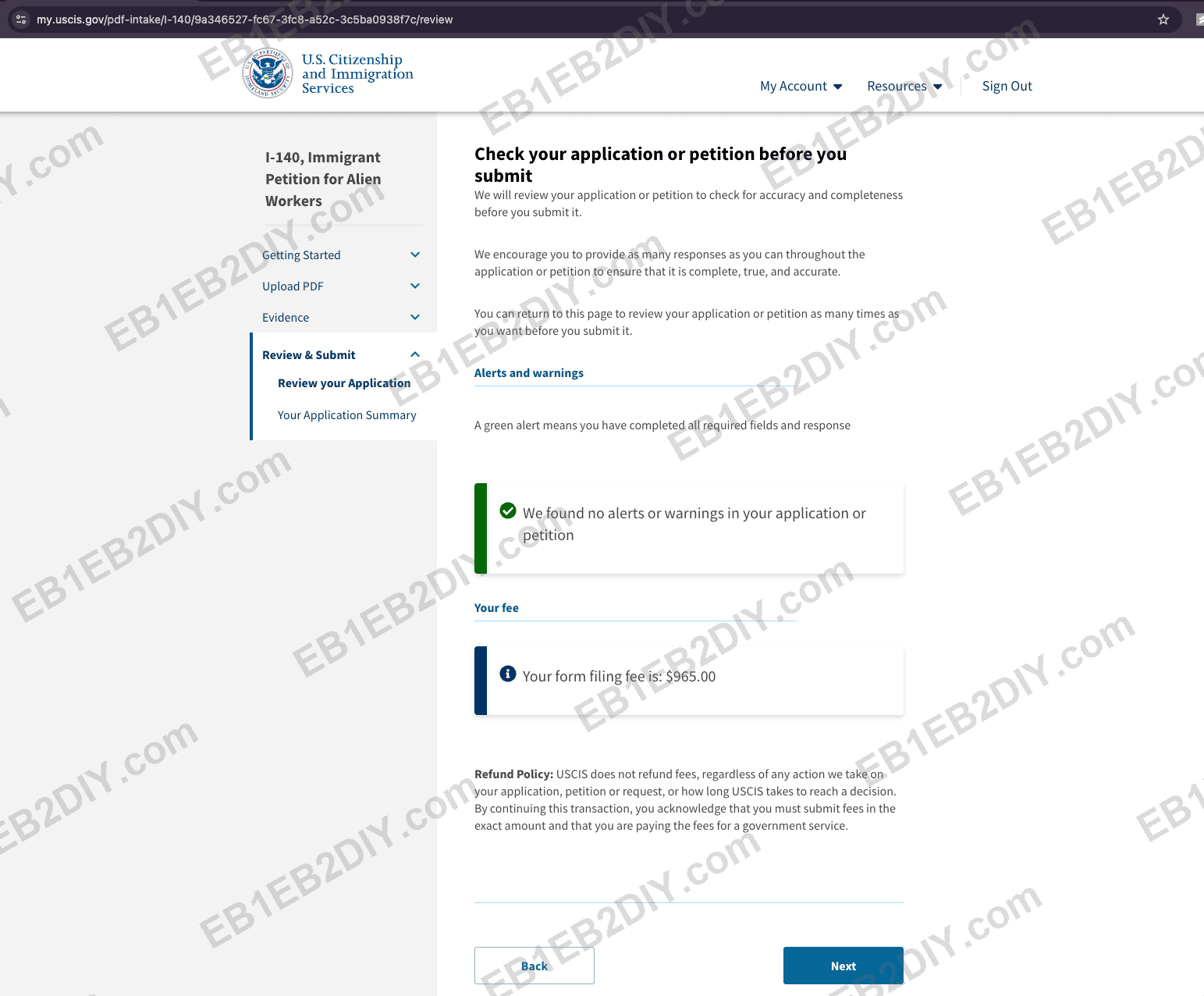
A green "no alerts" check and your $965 filing fee.
4. Pay $965
When you reach the payment step, the system takes you straight to the payment page. You must pay with a debit card (credit cards are often declined on large government charges, so have a U.S. debit card ready).
⚠️ The USCIS online system can be unstable. If you get an error while submitting or paying, don't assume it failed — wait a moment, then try again a few times. Check your dashboard and email before re-paying so you don't double-submit.
5. Get your receipt number (~2–3 business days)
Your receipt number (e.g., IOE0123456789) appears in your account. Copy it exactly — you'll need it for the I-907.
6. (Optional) Add premium processing with the I-907
With the receipt number in hand, you file the I-907 as a separate online submission. For the full step-by-step with screenshots, see How to File I-907 Online. In short: File a Form Online → I-907, enter the I-140 receipt number, and pay $2,965. Premium processing commits USCIS to act within 15 business days (EB1A) or 45 business days (EB2 NIW) — see Premium Processing Strategy.
Checklist
- ☐ Create a myUSCIS account + two-step verification
- ☐ Fill I-140 + ETA-9089 Appendix A in Adobe; sign (e-sign or print/sign/scan)
- ☐ Prepare exhibits as PDFs — ≤12 MB each; compress or split if needed
- ☐ File I-140 online: choose eligibility, upload the signed form, add evidence
- ☐ Pay $965 with a debit card; retry if the system errors
- ☐ Get your receipt number in ~2–3 business days; copy it exactly
- ☐ (If upgrading) File I-907, enter the receipt number, pay $2,965
Need the form details? Our I-140 field-by-field guide walks through every box. Have your forms signed and your PDFs named and under 12 MB before you start, and the online filing itself takes well under an hour.
As of June 2026. Verify current fees and steps on the official USCIS online filing and fee pages.