
Filing Your Petition · Chapter 21
How to File Form I-907 Online: Step-by-Step Premium Processing Guide (2026)
Table of Contents
Before You Start: You Need Your I-140 Receipt Number
You can only add premium processing after your I-140 has been filed and you have its receipt number — a 13-character number that starts with IOE (e.g. IOE0123456789). It appears in your myUSCIS account about 2–3 business days after you file the I-140.
If you haven't filed the I-140 yet, start with How to File I-140 Online. The I-907 is always a separate online submission filed after the I-140.
Fee: $2,965. Premium clock: USCIS commits to act within 15 business days (EB1A) or 45 business days (EB2 NIW). See Premium Processing Strategy for whether it's worth it.
Step-by-Step
1. Fill out Form I-907 (in Adobe)
Open Form I-907 in Adobe Acrobat/Reader and fill it out — see our field-by-field I-907 Form Guide for every box. The key field: enter your I-140 receipt number (the IOE… number) in Part 2, Item 2 — this is what links your premium-processing request to your pending petition. Then sign the form: insert an electronic signature, or print, hand-sign, and scan it back in (a typed signature is not accepted).
2. Start the I-907 online
From your dashboard, choose File a Form Online, then select I-907, Request for Premium Processing Service.
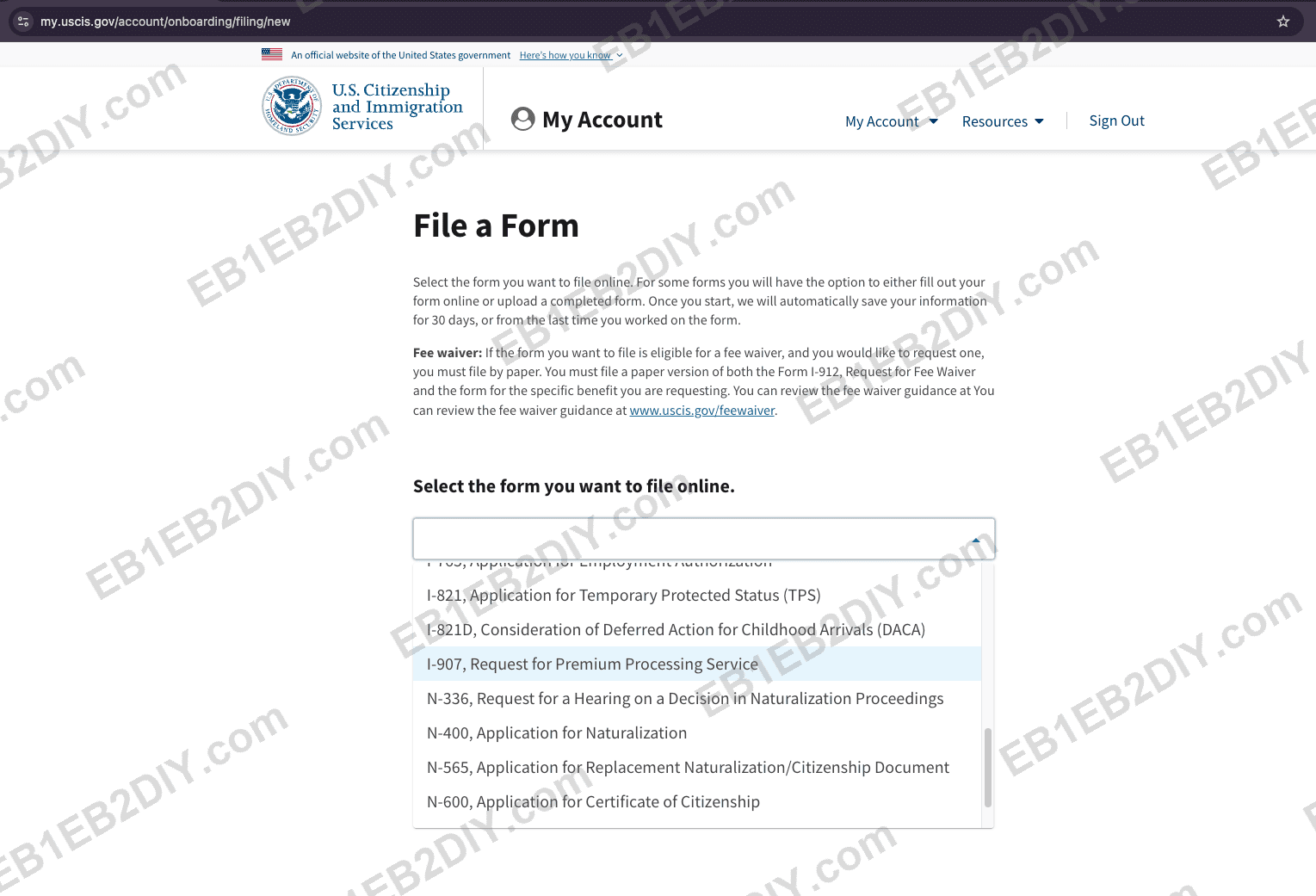
Choose "I-907, Request for Premium Processing Service."
3. Choose "Upload a Filled Out PDF Form"
USCIS gives you two options — fill the fields online, or upload your completed PDF. Choose Upload a Filled Out PDF Form so you can submit the I-907 you filled and signed in Step 1.
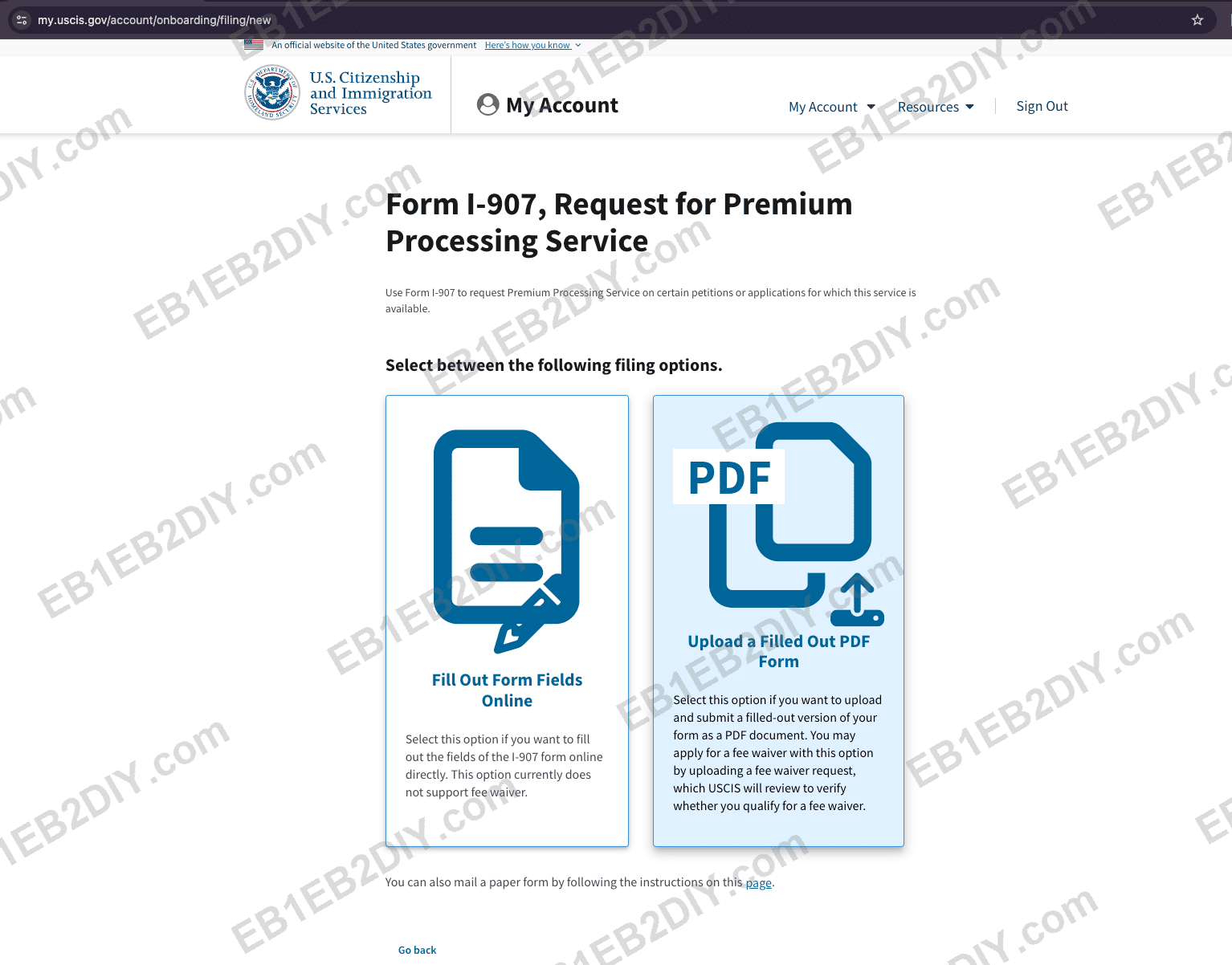
Pick "Upload a Filled Out PDF Form."
The next screen confirms which forms qualify for premium processing and the processing times; USCIS calculates the $2,965 fee for you automatically.
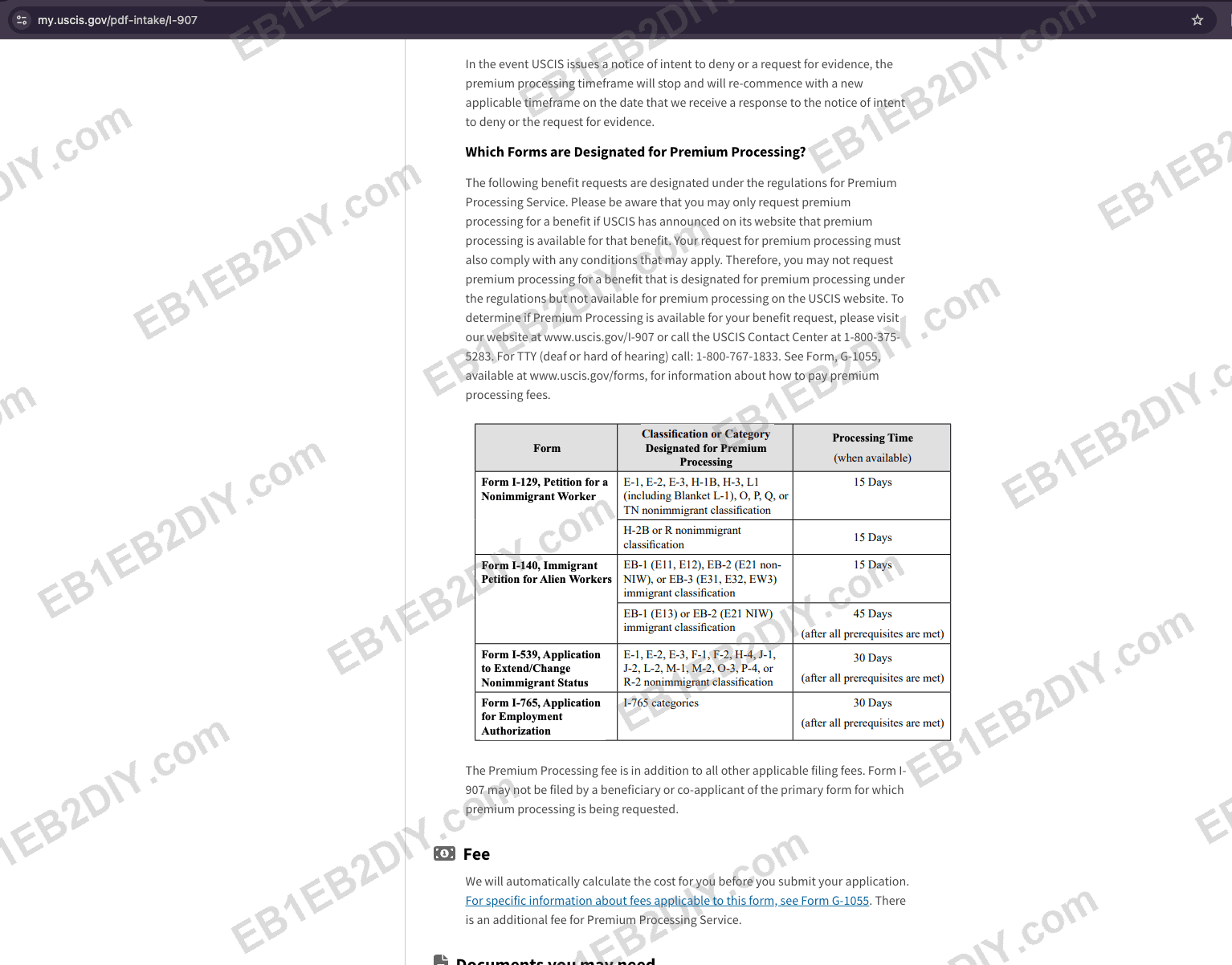
Premium processing covers I-140 (15 business days for EB1A, 45 for EB2 NIW); the fee is calculated for you.
4. Upload your signed I-907 PDF
Upload your completed, signed I-907 — all pages, in order.
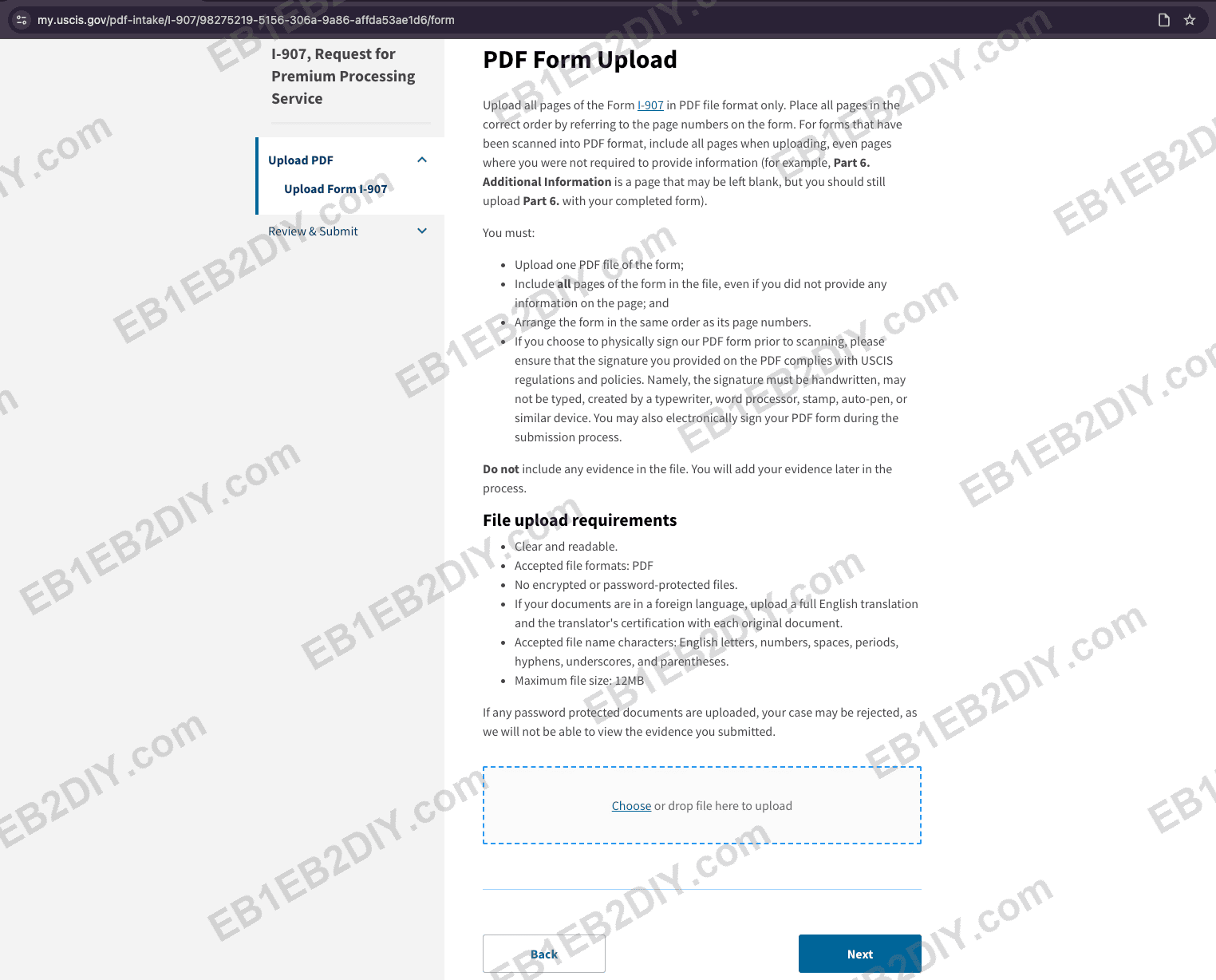
Upload all pages of your signed I-907 as a single PDF.
File rules: PDF only, 12 MB maximum, not encrypted or password-protected.
5. Pay $2,965
When you reach the payment step, the system takes you straight to the payment page. You must pay with a debit card (credit cards are often declined on large government charges).
⚠️ The USCIS online system can be unstable. If you get an error while submitting or paying, don't assume it failed — wait a moment, then try again a few times. Check your dashboard and email before re-paying so you don't double-submit.
Once the I-907 is accepted, the premium-processing clock starts and USCIS will act within 15 business days (EB1A) or 45 business days (EB2 NIW).
Checklist
- ☐ Confirm you have your I-140 receipt number (
IOE…) - ☐ Fill Form I-907 in Adobe; enter the I-140 receipt number; sign it
- ☐ File a Form Online → I-907 → Upload a Filled Out PDF Form
- ☐ Upload the signed I-907 (PDF, ≤12 MB)
- ☐ Pay $2,965 with a debit card; retry if the system errors
- ☐ Watch your account — the premium clock (15 / 45 business days) is running
Filing the I-140 too? Do that first — see How to File I-140 Online — then come back here once your
IOE…receipt number arrives.
As of June 2026. Verify current fees and steps on the official USCIS online filing and fee pages.